Receivables & Payables · Cheques
Cheques is a tracker for post-dated and received cheques as they move through their lifecycle. Cheques settle later than they're handed over, so tracking them here means cheque-based settlements show up in your balances alongside other payments — instead of being forgotten until they clear.
Where it is
Top navigation → Finance → the Cheques tab (one of the five Receivables & Payables tabs: Receivables, Payables, Follow-ups, Payments and Cheques).
What's on the screen
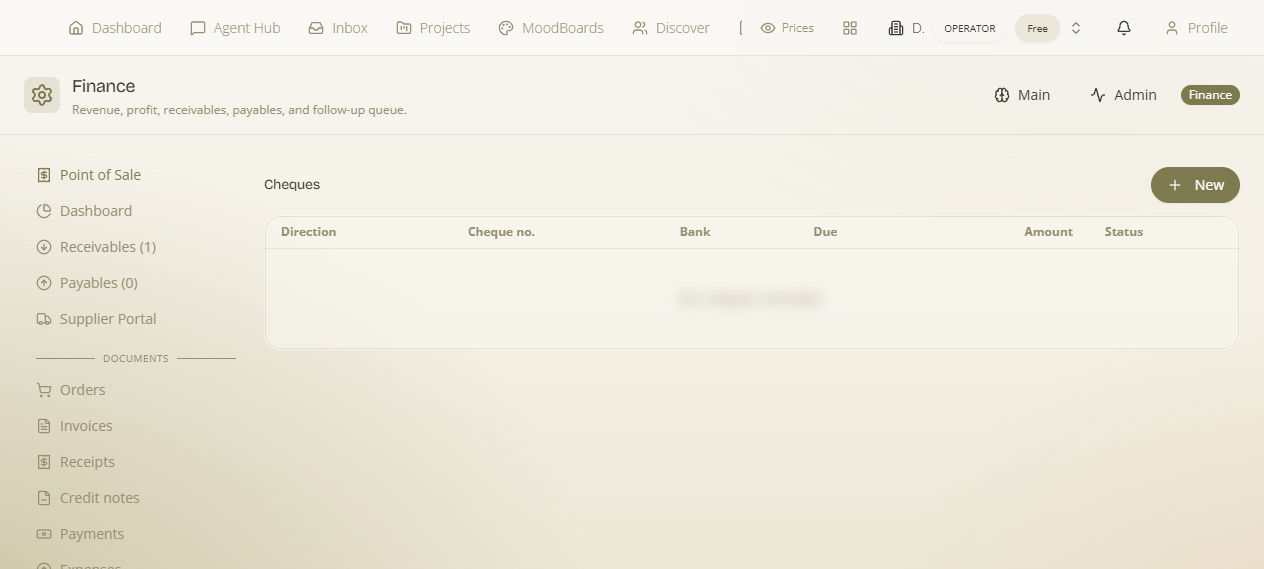
A New button on the toolbar opens the form to log a cheque, above a list of every cheque you're tracking — one row each, showing its direction, identifying details, due date, amount and where it is in its lifecycle.
How to log a cheque — step by step
- Go to Finance → Cheques and click New on the toolbar.
- Set the Direction — in for a cheque you received, out for one you issued.
- Enter the Cheque no., the issuing Bank, the Due date and the Amount.
- Track its Status through the lifecycle as it progresses (e.g. held, then deposited/cleared).
The cheque lifecycle
A cheque doesn't settle the moment it changes hands — it has a future Due date. The Status column is how you follow it from when you hold it through to when it deposits and clears. Keeping the status current is what makes a post-dated cheque visible in your balances before its due date arrives, so the money it represents isn't invisible in the meantime.
How to read each row
| Column | Description |
|---|---|
| Direction | in / out cheque. |
| Cheque no. | Cheque number. |
| Bank | Issuing bank. |
| Due | Cheque due date. |
| Amount | Cheque amount. |
| Status | Lifecycle status. |
Worked example — a post-dated cheque from a customer. Open Cheques → click New → set Direction to in → type the Cheque no. and issuing Bank, set the Due date to the future date written on the cheque, and enter the Amount. Leave its Status as held while you wait. As the cheque is banked and clears, advance the Status so the settlement is reflected in your balances rather than sitting unseen until the due date.
What it affects elsewhere
Cheque settlements join your other payments in the balances, so post-dated money isn't invisible until the cheque date arrives. Everything tracked here rolls up into the Dashboard totals alongside the rest of Receivables & Payables.