Discover · Brands
Renamed: this tab (and “factory” throughout the platform) is now called Brands — the manufacturers/brands you source from. The behaviour is unchanged; “factory” below reads as “brand”.
The Brands tab is the manufacturers/brands directory. Each entry leads to that brand's material range and the product categories they cover, so it's the quickest way to discover who makes the kind of material you need. Rather than searching loose products, you start from the source — the brand — and browse its full range.
Where it is
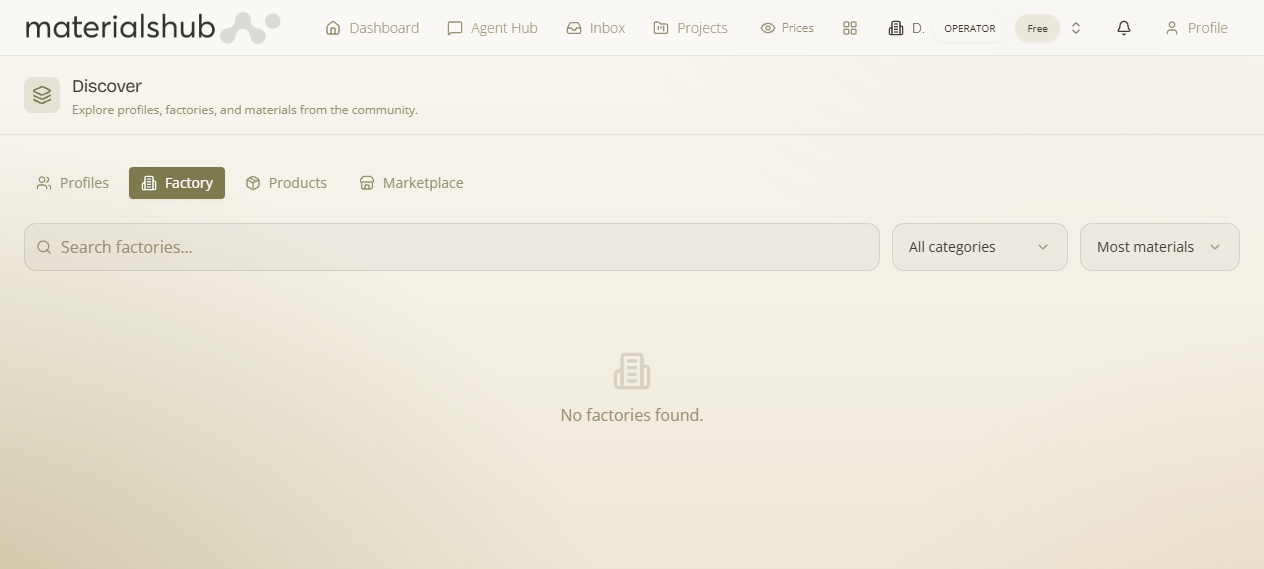
Top navigation → Discover → the Factory tab. Factory is one of the four tabs in Discover (Profiles, Factory, Products, Marketplace), and they all share the one search box at the top — so you can switch between them without retyping what you're looking for.
What's on the screen
Factory is the source-first way into the platform's product catalogue: instead of scanning loose products, you find the manufacturer first and then browse its full range and the categories it produces. The controls on the tab:
- All categories — a category filter so you can narrow the directory to manufacturers that produce a given category, or leave it on All categories to see every factory.
- Search — a search box (“Search factories…”) that matches on the manufacturer, so you can jump straight to a specific factory.
- Open a factory — click a card to open the manufacturer and browse its material range and the categories it produces.
How to use it — step by step
- Open Discover from the top navigation and select the Factory tab.
- Use the All categories filter to narrow the directory to manufacturers that produce a given category, or leave it on All categories to see every factory.
- Type into the Search box (“Search factories…”) to jump straight to a specific manufacturer.
- Open a factory: click a card to open the manufacturer and browse its material range and the categories it produces.
Worked example — finding who makes a material. Open Discover → Factory → set All categories to the category of material you need → optionally type a manufacturer's name into “Search factories…” → click a factory card to open the manufacturer and browse its material range and the categories it produces.
What it affects elsewhere
The ranges you find here are the same products that feed the Products tab and the conversational search in the Agent Hub — Factory is simply the source-first way in.