Operations · Time & billing
Time & billing is a way to track billable time and turn it into invoices. Materials businesses often deliver service work alongside the goods — on-site measurement & consultation, installation, advice. That time is revenue too, and it slips through the cracks unless it's logged and billed. This tab is for anyone delivering chargeable hours.
Where it is
Top navigation → Finance → Time & billing tab.
What's on the screen
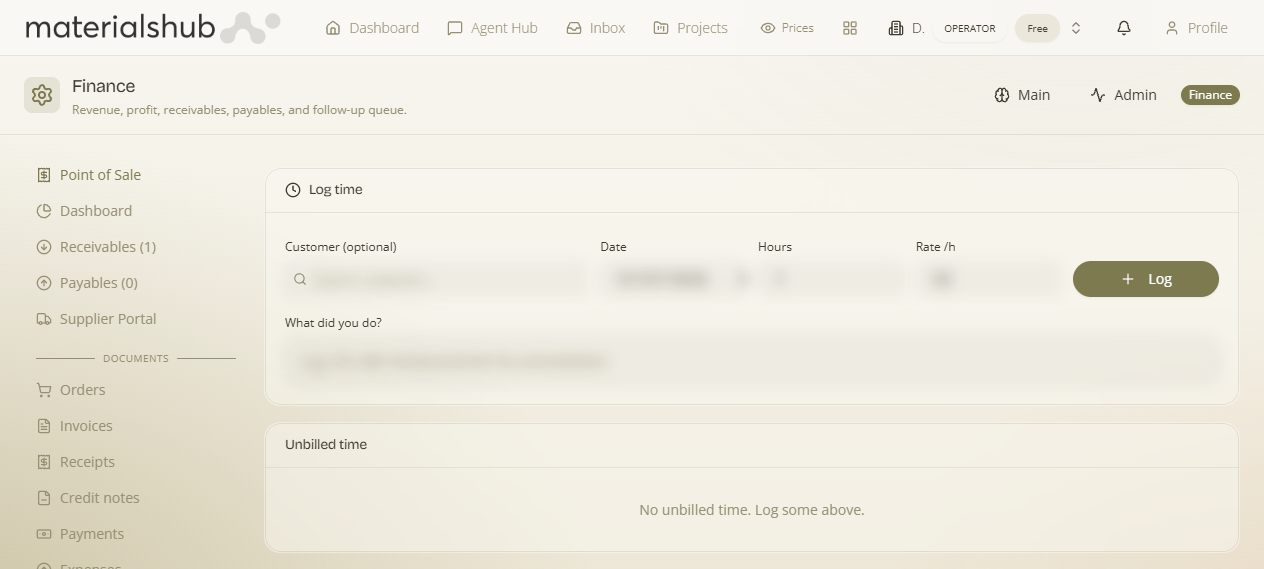
A list of time entries with the controls to record and review them:
- Log time — the button that records a billable time entry.
- Views — By user or By contact, so you can read entries grouped either by who did the work or by which customer it was for.
- Search — find entries by customer.
- Convert unbilled time to invoices — turns logged time into a Finance invoice when you're ready to charge.
How to use it — step by step
- Open Finance → Time & billing.
- Click Log time to record a billable time entry.
- Review entries with the views — By user or By contact — and search by customer.
- When you're ready to charge, convert unbilled time to invoices — logged time becomes a Finance invoice.
Worked example — billing an on-site consultation. After a measurement visit, open Time & billing → click Log time to record the chargeable hours against the customer → switch to the By contact view and search that customer to confirm the entry is there → when you're ready to charge, convert unbilled time to invoices. The logged hours become a real Finance invoice, so the consultation lands as revenue right next to the goods you sold them.
What it affects elsewhere
Converting time produces a real Finance invoice, so billable hours land in the same place as the rest of your revenue.