Account · Modules
MaterialsHub is built from modules — self-contained capabilities (finance, monitoring, social publishing, and more). The Modules tab is where you turn optional modules on for your workspace: some come with your plan, others are purchasable add-ons. If you're not the owner, you can request a module and the owner is notified to enable it. This keeps each workspace to exactly the capabilities it needs (and pays for).
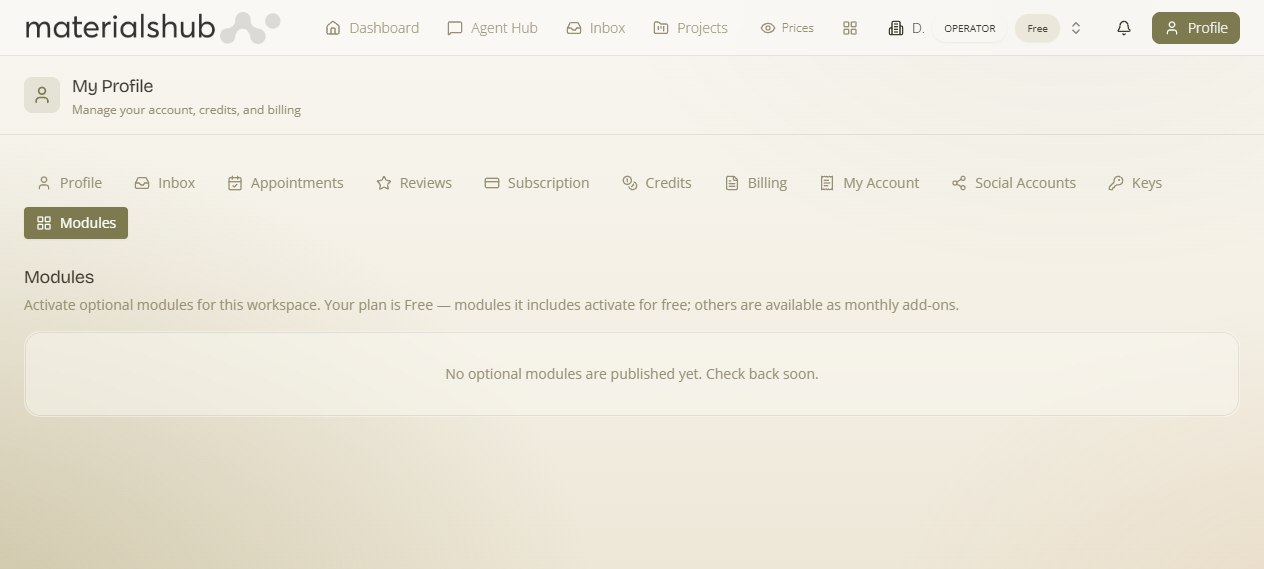
Where: open your Profile menu (top-right) → the Modules tab. Modules are enabled per workspace — “Activate optional modules for this workspace” — so if you belong to several, pick the one you're configuring.
What it is & why it matters
What it is — a per-workspace catalogue of optional modules with an on/off (or purchase) control for each. Why it matters — you only carry — and pay for — what you use: a design studio might enable moodboards and sheets but not finance; a retailer enables finance and POS. Your plan sets what's included; add-ons extend beyond it.
Included vs purchasable
- Included modules — the ones your current plan already covers; switch them on directly.
- Purchasable add-ons — modules beyond your plan. Each add-on is tied to a Stripe product, so activating it goes through checkout/billing and then unlocks the capability for the workspace.
How to activate a module
- Open Profile → Modules and (if prompted) pick the workspace.
- Find the module you want. If it's included in your plan, switch it on; if it's a paid add-on, use its activate / purchase action and complete checkout.
- Once active, the module's features appear across the app for that workspace (its tab, tools and settings switch on).
Requesting a module (non-owners)
What it is — if you're a member (not the workspace owner), you can't enable a paid module yourself — but you can request activation. Why it matters — the person who needs a capability and the person who authorises the spend are often different; the request routes cleanly to the owner instead of a side conversation. When you request one, the owner is notified (a module-access-requested event flows through the platform's notification/Flows engine) and can approve it. You'll get access once they enable it.
Related: your plan and credit allowance are on the Subscription tab; the outside services a workspace connects to (social, WhatsApp, Stripe payouts, bring-your-own-key) are on the Keys & Connections tab.