Account & Billing
Everything about you on MaterialsHub: your public profile and the services you offer, your messages, appointments and reviews, plus the credits, subscription, API keys and billing that power the platform. Each tab is documented in full on its own page below.
How to open it: click your Profile menu at the top-right of any page. The workspace switcher (showing your role and plan) sits next to it.
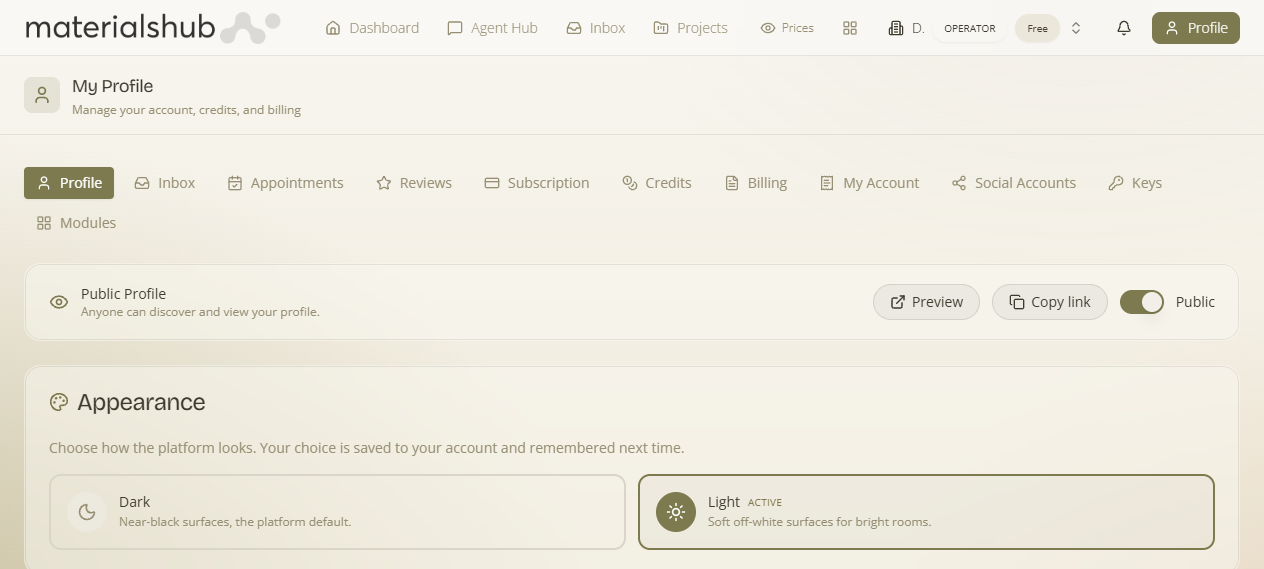
The tabs
Profile
Your public profile: appearance, personal info, business (ΑΑΔΕ), services, skills, factories, availability.
Subscription & API keys
Your plan + generating and testing kai_* API keys for the partner APIs.
Credits
Balance, allowance, and buying credit packs (with volume discounts).
Billing
The transaction ledger — every credit debit and purchase.
Keys & Connections
Connect social, WhatsApp, Stripe payouts and bring-your-own-key — per workspace.
Modules
Turn optional modules on per workspace — included or purchasable add-ons; members can request activation.
Social Accounts
Connect social platforms for publishing.
Appointments & Reviews
Your bookings and the reviews clients leave (you can reply).
Workspaces
Next to the Profile menu is the workspace switcher (showing your current workspace, role and plan). Use it to switch between workspaces, create a new one, or open Manage network. A workspace groups your materials, moodboards, quotes, finance, CRM and team — see Getting Started.
Credits power the AI. Reading, searching and browsing are free; generation actions (images, presentation sheets, scans, 3D/VR) consume credits. Your balance shows in the header and on the Credits tab.