Account · Profile
The Profile tab is your public profile. Everything you fill in here — your avatar, name, role, business details and the services you offer — feeds a sharable public page at /u/:userId. A complete profile is your first impression whenever you share your link or appear elsewhere on the platform: it's how clients and partners size you up. This guide walks every section: what it is, why it matters, exactly how to use it, and what it changes elsewhere.
Where it is
Click your Profile menu at the top-right of any page, or go straight to /profile. The page is organised into tabs along the top; the Profile tab is the first of them. What you build here is published to your public page at /u/:userId Public.
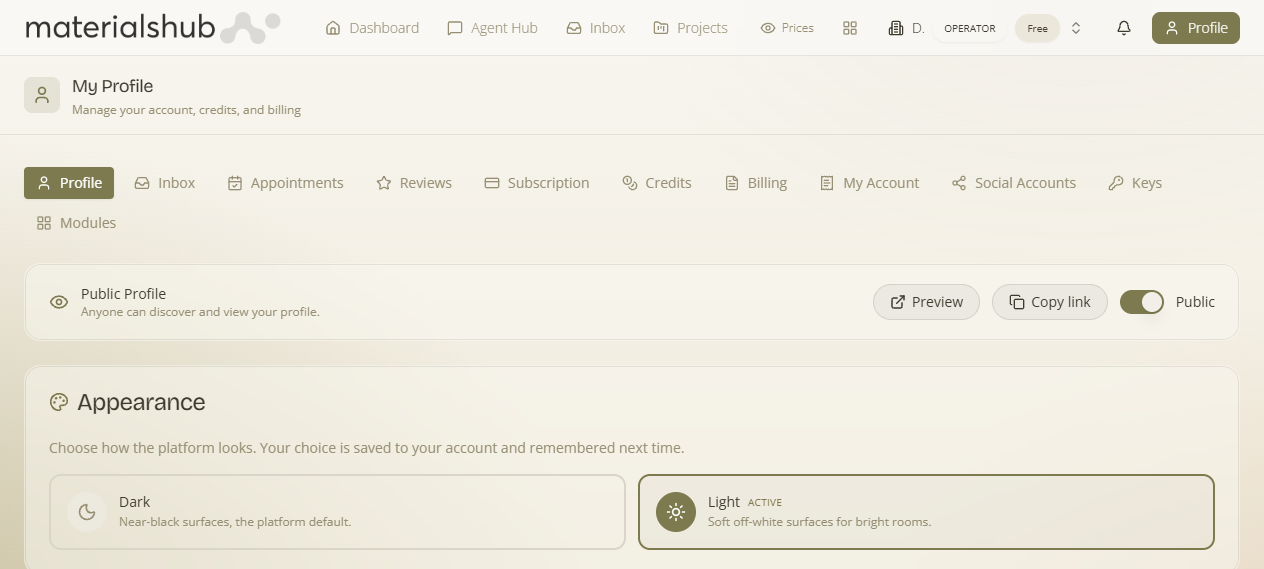
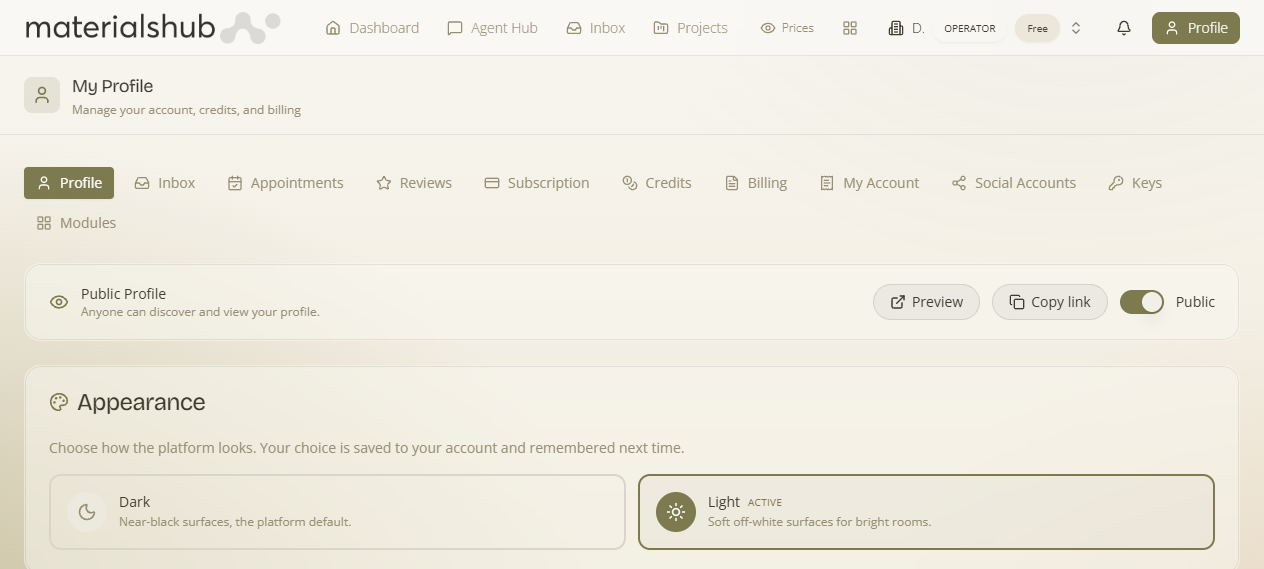
What's on the screen
The Profile tab is organised into a few sections, top to bottom:
- Appearance & avatar — upload a profile photo and set how your name and role are presented.
- Personal information — your name, contact details and role.
- Business details — company name, address, VAT/tax details and other registration info. For Greek companies these can be enriched from the ΑΑΔΕ business registry.
- Services you offer — list the services you provide using the Add Service button. These appear on your public profile so others know what you do.
- Skills & Expertise, Preferred Factories, Appointment Availability, Featured Moodboard, Connected Websites and Profile Analytics — the profile-building sections covered below.
Appearance
- Avatar — upload a profile photo (a file from your device).
- Theme — choose the platform theme.
Personal Information
Click Edit on the Personal Information section to fill in the fields below.
| Field | Notes |
|---|---|
| Full Name | Your name as it appears on your public profile. |
| Email Address | Your contact email. |
| Phone Number | Includes a country code selector, e.g. 🇬🇷 +30. |
| Company | The company you're associated with. |
| Location | Search for a city or country. |
| Website | Your main website URL. |
| Professional Type | Your professional role, e.g. Consultant. |
| Address | Your address. |
| Bio | A short description about you. |
Business
Your business details — company name, address, VAT/tax details and other registration info. For Greek companies these can be enriched from the ΑΑΔΕ business registry: enter your Greek VAT number and pull official details in one step rather than typing them by hand. The same registry data is reused for your tax documents and CRM records — see Business identity and CRM companies.
How to enrich your business from ΑΑΔΕ
- Open the Business section and click Edit.
- Enter your Greek ΑΦΜ (VAT number).
- Pull the official company details from the ΑΑΔΕ registry in one step, rather than typing them by hand.
- Save to publish.
What it affects: the same registry data is reused for your tax documents and CRM records — see Business identity and CRM companies.
Services
List the services you offer with the Add Service button. These appear on your public profile so others know what you do.
Skills & Expertise
Add your skills with the Add Skill button so visitors can see your areas of expertise on your public page.
Preferred Factories
Add the manufacturers you favour with the Add Factory button.
Appointment Availability
Set when clients can book you. Appointment scheduling ties back to this availability.
Featured Moodboard
Pick a board to showcase on your profile.
Connected Websites
Link your own sites — your Connected Websites / Your Websites appear on your public page.
Profile Analytics
Views and engagement on your public profile.
Copy link
What you put in the Profile tab feeds a sharable public page at /u/:userId Public. Use the Copy link button to grab the URL and share it with clients or partners — they can view your name, business, role and listed services without needing an account.
Tip: A complete profile with an avatar and a clear list of services makes a much stronger impression when you share your public link or appear elsewhere on the platform. Edit each section, then click Save to publish your changes.
How to complete your profile — step by step
- Open your Profile from the avatar menu in the top-right, or go to /profile.
- Under Personal Information, click Edit and fill in your name, contact details and role.
- Under Business, click Edit to add your company details. For a Greek company, enter the ΑΦΜ (VAT number) and pull official details from ΑΑΔΕ in one step — see Business identity for how the same registry data is reused.
- Add the services you offer with the Add Service button, so they appear on your public profile.
- Add your Skills & Expertise (Add Skill) and Preferred Factories (Add Factory), set your Appointment Availability, choose a Featured Moodboard and link your Connected Websites.
- Click Save after editing each section to publish your changes.
- Use Copy link to share your public profile at /u/:userId.
Worked example — a consultant getting discovered. Open Profile → upload an avatar and set Professional Type to Consultant → click Edit on Business, enter your Greek ΑΦΜ and pull official details from ΑΑΔΕ → add your services with Add Service and a few skills with Add Skill → pick a Featured Moodboard → click Save, then Copy link and send the /u/:userId URL to a prospective client. They open it without an account and see your name, business, role and listed services, with Profile Analytics tracking the views.
What it affects
- The Profile tab is your public profile — everything here is published to /u/:userId Public, viewable by anyone with the link and no account required.
- Business details enriched from ΑΑΔΕ reuse the same registry data for your tax documents and CRM records — see Business identity and CRM companies.
- Appointment Availability set here governs when clients can book you.
- Your listed Services, Skills & Expertise and Preferred Factories shape how clients and partners size you up across the platform.