Contracts & e-Signature Pro add-on
The Contracts app gives you signable agreements with a real e-signature and audit trail, in the three places you actually make them: HR (employment contracts), Finance (customer / supplier agreements), and Projects (client work agreements). You draft a contract, send it, the other party signs it on a public page — no account needed — and you get a recorded, timestamped signature you can rely on. This page covers what it is, the three contexts, and the signing flow.
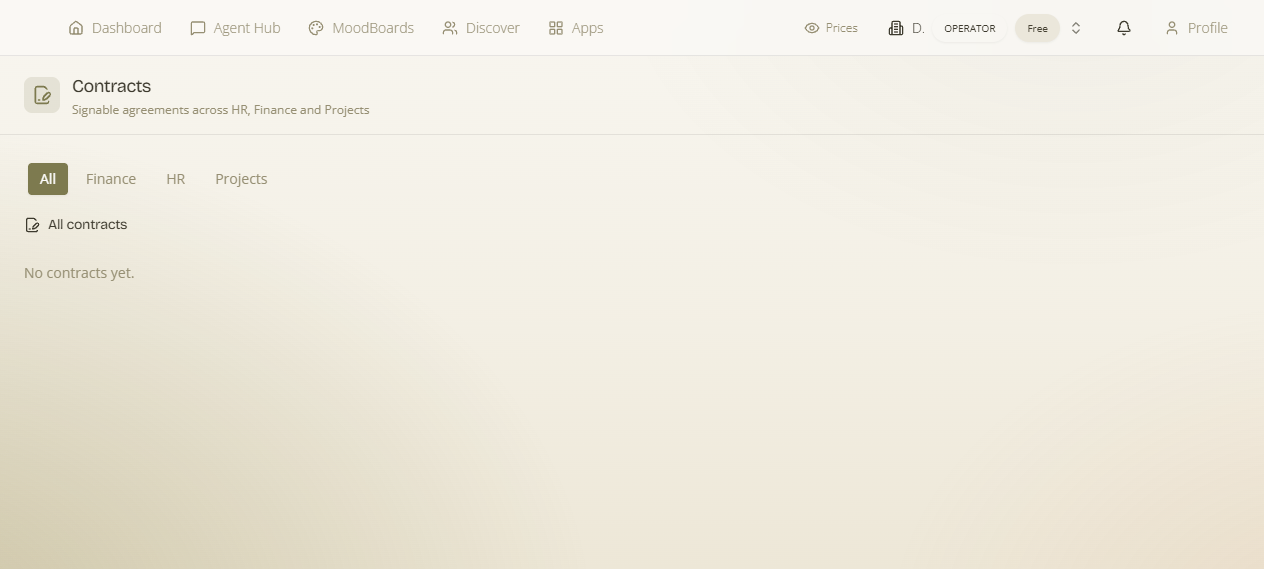
Where: enable Contracts & e-Signature from the App Launcher (Pro add-on). It has its own page at /contracts — “signable agreements across HR, Finance and Projects” — and is also mounted inside those three areas so you raise a contract in context.
What it is & why it matters
What it is — a place to create a contract, send it for signature, and keep the signed record. Why it matters — agreements are the moments that carry real risk — an employment offer, a supply deal, a client scope — and a signature captured with a timestamp and an audit trail is far stronger than a “yes” in an email or a PDF passed around by hand. It's the same recorded-acceptance idea used for quote e-sign, applied to full contracts.
The three contexts
| Context | What you sign |
|---|---|
| HR | Employment contracts for your employees — raised from the HR module. |
| Finance | Customer and supplier agreements — raised alongside your finance dealings. |
| Projects | Client work agreements — raised on a project so the scope is signed off. |
All three live together on the /contracts page, and each area surfaces the contracts relevant to it — so you can work from the context or from the one central list.
Signing — the public e-signature page
What it is — when you send a contract, the signer gets a link to a public page (no login) where they read it and sign electronically. Why it matters — there's no friction for the other party, and you get back a signature that's recorded with an audit trail — who signed, when — so the agreement is verifiable, not just claimed. Once signed, the contract shows as executed and the record is kept.
Typical flow: draft the contract in the right context (HR / Finance / Project) → send it → the counter-party opens the public link and e-signs → you have a timestamped, audited signed agreement on the /contracts page.