HR · Employees & org
The Employees area is where your people become part of HR. Each employee is a CRM contact tagged as an employee, with an employment record attached on top — so who the person is (name, contact details) stays in one place in the CRM, and HR adds the working relationship: their pay, their leave allowance, their tax situation, and the codes that identify them at the kiosk and to the Greek labour authority. This one record is then read by attendance, time-off, payroll and Ergani, so it's worth filling in carefully.
Where it is
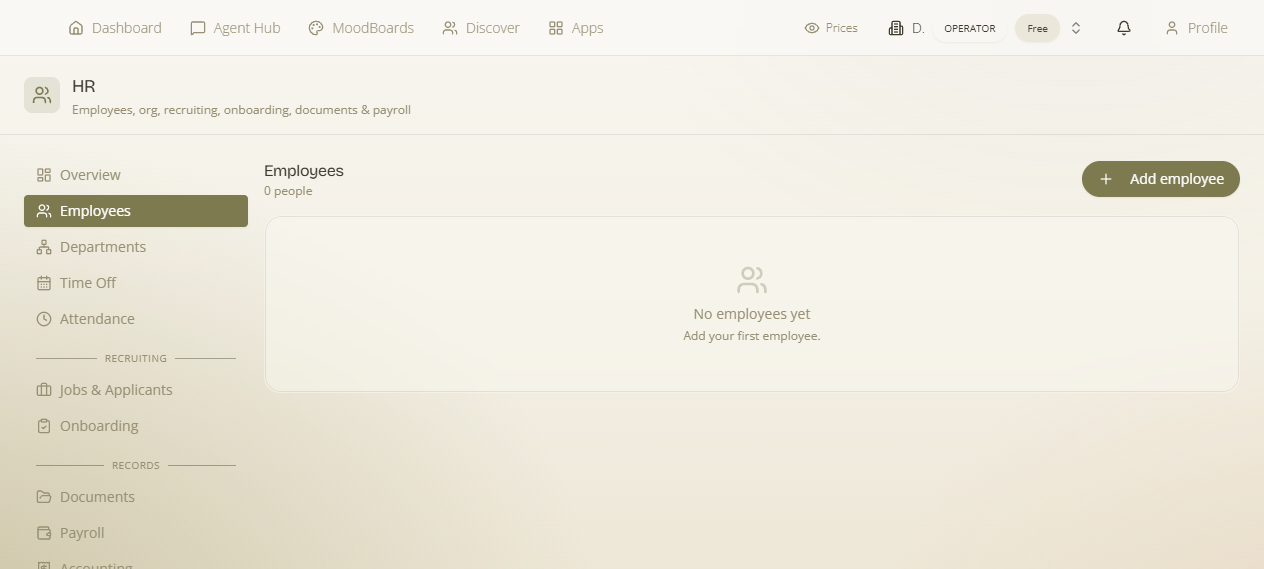
Enable HR from the App Launcher (it's a Pro add-on), open it at /hr, and go to the Employees section. HR is owner/admin only — the whole area, including this page, is gated to workspace owners and admins, because employee records hold sensitive personal and pay data. Staff never see this admin page; they get the separate, restricted self-service portal instead.
Why an employee is a CRM contact
MaterialsHub keeps every person your business knows — customers, suppliers, and staff — as a CRM contact. An employee is simply a contact that has been tagged as an employee and given a linked HR employment record (one record per contact). Two reasons this matters in practice:
- One source of truth for the person. Their name, email, phone and address live on the contact in CRM. Change them there and every part of the platform sees the update — you don't maintain a separate "HR copy" of someone's details.
- HR adds only the employment layer. The HR record holds the things that only exist because this person works for you — employment type, department, pay rate, leave allowance, tax inputs, and their identifying codes. Remove the employment layer and the person still exists as a contact; the employment relationship is what HR owns.
Adding an employee — step by step
In the Employees section, start the Add employee form and fill in the fields below. Only Full name is required; everything else can be added now or filled in later, but the pay, leave and identity fields are what make the record useful downstream, so complete as many as you can.
- Open the Employees section and choose to add an employee.
- Enter the person's Full name (this is the only required field) and work through the rest of the form field by field, using the table below.
- Save the record. The new employee appears in the Employees list, showing their Leave (days) and absence information at a glance.
- When you're ready to give them their own login, use Invite to employee portal to grant access to the restricted self-service portal.
The fields, and what each one is for
| Field | What to enter | Why it matters / where it's used |
|---|---|---|
| Full name (required) | The employee's name — the form shows "Jane Doe" as a placeholder. | The only mandatory field. Creates (or links) the underlying CRM contact and labels the person everywhere in HR. |
| Employment type | The kind of engagement this person has with the company. | Classifies the employment relationship; relevant to how their working time and pay are treated and to what gets filed to Ergani. |
| Department | The team or department the person belongs to. | Places them in the org structure. Feeds the department's employee count (see Departments & the org below). |
| Annual leave (days) | The number of leave days this employee is entitled to per year. | Sets their starting leave allowance. Time-off & absences counts approved vacation against this to keep a running balance, shown per-employee in the list. |
| Hourly rate | The employee's pay rate per hour. | Read by payroll to calculate pay from attendance. Also underpins hourly pay based on the timesheets that attendance builds. |
| Dependent children | How many dependent children the employee has. | A payroll tax input — the number of dependents affects the Greek tax calculation in a payroll run. |
| Kiosk PIN | A personal PIN the employee uses to identify themselves at the shared clock-in device. | Used at the clock-in kiosk so the employee can punch in/out on a shared screen without logging in. |
| VAT number (9 digits) | The employee's 9-digit tax identification (ΑΦΜ). | Used to identify the employee at the kiosk and in Ergani filings to the Greek labour authority. |
| Social-security number (AMKA) (11 digits) | The employee's 11-digit Greek social-security number (ΑΜΚΑ). | The insurance/social-security identifier used for payroll and for Ergani filings — it's how the labour authority knows which insured person a hire, schedule or punch belongs to. |
| Invite to employee portal | An action, not a text field — trigger it to send the person an invitation. | Grants the employee access to the restricted self-service portal, where they clock in, request time off and get payslips — without ever seeing the admin HR page. |
The two ID numbers are different things. The VAT number is the 9-digit tax id (ΑΦΜ); the social-security number is the 11-digit ΑΜΚΑ. Both are used in Ergani filings, so getting them right up front means hires, schedules and punches file cleanly later rather than bouncing back.
Pay and tax fields drive real money. Hourly rate, Annual leave (days) and Dependent children are read directly by payroll and time-off. A wrong rate or an empty allowance flows straight through to payslips and leave balances, so double-check them when you add or edit an employee.
The Employees list
Once saved, each employee shows in the list with their Leave (days) and absence information surfaced inline, so you can scan who has leave remaining and who is currently absent without opening each record. The leave figure reflects the Annual leave (days) you set, adjusted by whatever time-off has been booked against it.
Departments & the org structure
Departments are how you describe your company's shape inside HR. A department is a lightweight record with:
- Name — what the department is called.
- Description — a short note on what the department does or covers.
- Head (optional) — a contact who leads the department.
- Employee count — how many employees are assigned to it, derived from the Department field on each employee record.
Together these give you the org structure: assign each employee to a department when you add them, optionally name a head, and the employee count keeps itself current as people are added or moved. Because the count comes from the employees themselves, the way to grow a department is simply to set that department on more employee records.
What this record powers elsewhere
The employee record is the hub the rest of HR reads from — this is why it's worth completing:
- Attendance & clock-in uses the Kiosk PIN and VAT number to identify the person at the shared clock-in kiosk, and builds their timesheets from the punches.
- Payroll reads the Hourly rate to calculate pay, and the Dependent children count as a Greek-tax input in the run.
- Time-off & absences counts leave against the Annual leave (days) allowance to maintain each employee's balance.
- Ergani filings to the Greek labour authority use the VAT number and social-security (AMKA) number to identify the employee on hires, schedules, leave and punches.
- Employee self-service is unlocked by the Invite to employee portal action, giving the person their own restricted surface to clock in, request time off, and get payslips.
- CRM holds the person's underlying contact details, since the employee is a tagged CRM contact — edit name and contact info there.
Back to the map: this is one area of HR. See the HR overview for how Employees connects to attendance, time-off, payroll, recruitment, documents and Ergani.