Operations · Customers & Suppliers
Customers & Suppliers is a consolidated view of the parties on your documents, focused on the financial relationship: who you invoice and who you pay. The CRM holds the relationship; this tab is where those same parties surface inside Finance so you can see balances and chase money. It's the screen for whoever runs collections — one list showing what every customer owes and what you owe every supplier.
Where it is
Top navigation → Finance → the Customers & Suppliers tab.
What's on the screen
One list of every CRM party with finance activity, plus the controls to narrow it and the headline numbers:
- Stats — two figures at the top keep the big picture in view: Total customers owe (€) and We owe suppliers (€).
- Filters — narrow the list to All customers/suppliers, and All segments.
- Search — find a party by Name or email.
- The party list — every CRM party with finance activity, one row each. Click a row to open the full breakdown for that party.
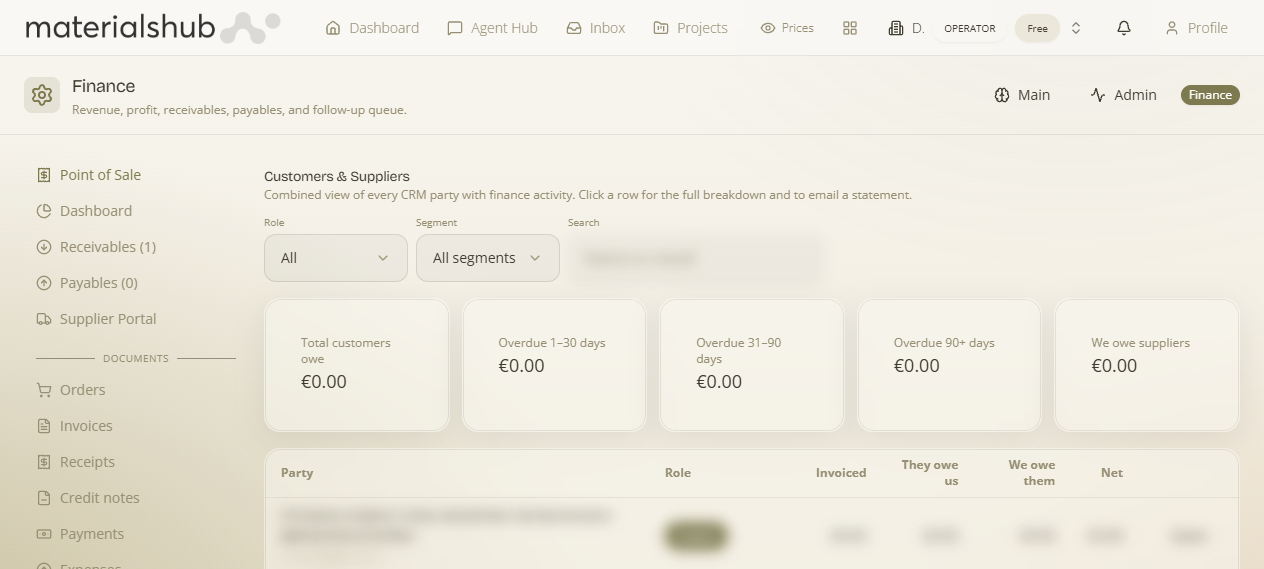
How to email a customer statement — step by step
- Open Finance → Customers & Suppliers — every CRM party with finance activity appears in one list.
- Narrow the list with the filters (All customers/suppliers, and All segments) or search by Name or email.
- Click a row to open the full breakdown for that party.
- From there, email a statement — the running total of what they owe.
Worked example — chasing an overdue customer. Open Finance → Customers & Suppliers → search the customer by name or email → click their row to see the full breakdown of what they owe → email a statement. The statement arrives branded by your Statement PDF settings, so the running total goes out looking like the rest of your paperwork.
Shareable statement — the customer can pay it
What it is — beyond emailing a PDF, you can Share statement to give the customer a live, self-serve public statement page (from a party's account you'll see Download PDF, Share statement and View in CRM). Why it matters — the customer sees their own running account and can settle it, without you chasing.
- Secure access. The public page at /statement/:token Public asks the customer to “Enter your VAT number and email to view your statement,” so only the right party can open it.
- The running account. It shows their opening balance, payments received, and what's outstanding — the same figures as the emailed statement.
- Pay the balance. The customer can pay online (Stripe) straight from the page, or use the bank details shown to pay by transfer — so a statement doubles as a payment request.
What it affects elsewhere
The statement (emailed or shared) is branded by the Statement PDF settings (cover/footer images); online payment lands via your connected Stripe payouts. This tab complements the CRM rather than replacing it — the party records live there; their money side lives here.