Settings · Services
Services are the non-stock things you sell — installation, consulting, delivery, a call-out fee — as opposed to physical products in your catalogue. Define them once here and they become pickable on quotes, invoices and receipts, and they transmit to myDATA with the classification you set. Because they're services, there's no stock to track.
Where it is
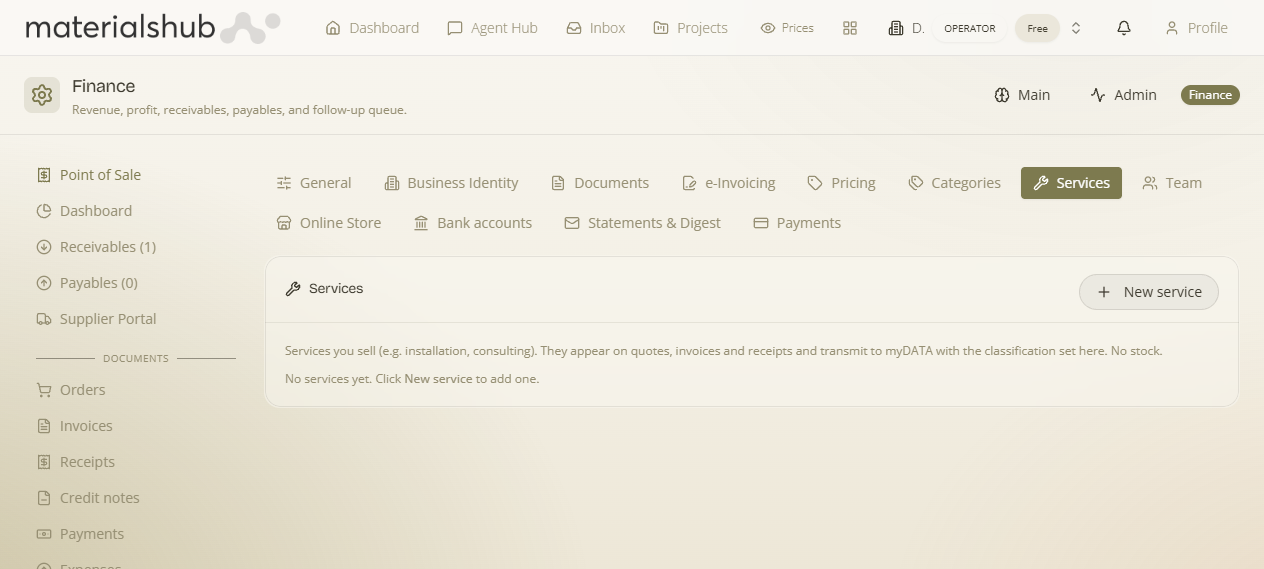
Top navigation → Finance → Settings tab → Services (in the row of settings sub-tabs).
What's on the screen
A simple list with a single add control:
- Helper line — "Services you sell (e.g. installation, consulting). They appear on quotes, invoices and receipts and transmit to myDATA with the classification set here. No stock." This is the reminder of what a service is and where it shows up.
- The services list — every service you've created. Before you add your first one, you'll see the empty state: "No services yet. Click New service to add one."
- New service — the button that opens the form to create one. You give it a name, a price, and a classification.
How to add a service — step by step
- Go to Finance → Settings → Services.
- Click New service.
- Enter the name of the service — for example Installation or Consulting.
- Enter a price. A service needs a price to be sellable — without one it won't appear where prices are required.
- Set the classification — this is what travels with the service when it transmits to myDATA.
- Save. The service joins the list and is immediately pickable on documents.
Worked example — adding an "Installation" line. Open Services → click New service → name it Installation → set a price (say €80) → choose its classification → save. Now when you build a quote or invoice you can drop "Installation" straight onto it as a line, and when the document transmits to myDATA the installation line carries the classification you set — with no stock movement, because it's a service.
What it affects
- Documents — services become pickable lines on quotes, invoices and receipts alongside catalogue products.
- myDATA transmission — when a document goes to myDATA, each service line carries the classification you set here.
- The POS — services can be sold at the point of sale too. As on the POS generally, an item only appears if it has a price — so be sure to give each service a price when you create it.