HR · Time-off & absences
The Time Off section is where every employee absence is recorded, approved and counted. It answers three everyday questions at once: who is off and why, how many working days each absence really costs, and how much leave each person has left. Because absences also feed payroll day-counts and can be filed to the Greek labour authority, this is more than a calendar — it's the single record of who was away and whether it was authorised.
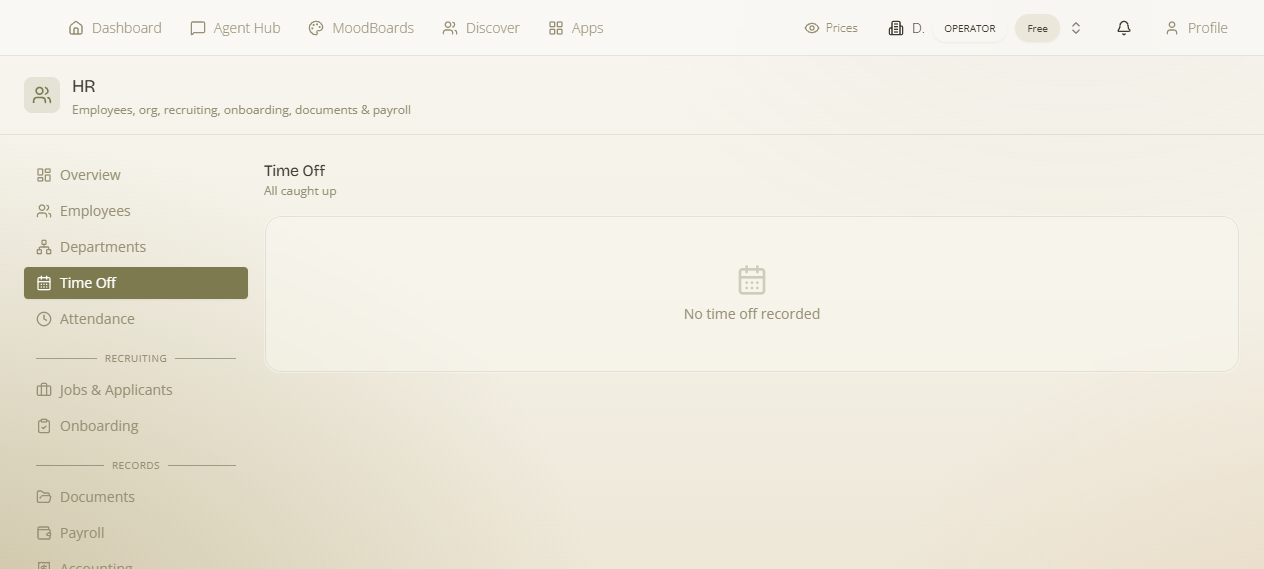
Where it is
Open /hr and go to the Time Off section. Like the rest of HR, it is owner/admin only — the sensitive people data is gated to workspace owners and admins. Employees don't work here directly; they submit their own requests from the self-service portal, and those requests land in this section for an admin to approve or reject.
What time-off tracking is for
Every logged absence does three jobs:
- It records the fact. A dated, typed, note-carrying entry against a named employee — your authoritative "who was off and why" log.
- It counts working days. The system computes the number of working days in the range automatically, excluding weekends, so a Friday-to-Monday absence counts as 2 days, not 4. Those counts are what feed leave balances and payroll.
- It draws down leave. Absences reduce the employee's remaining allowance, so you always know how much leave each person has left before you approve the next request.
Logging an absence — field by field
Use the Log time off form to record an absence on someone's behalf (for example when they told you in person, or you're catching up the record). Every field:
| Field | What it does |
|---|---|
| Employee (required) | A Select employee dropdown — pick whose absence this is. The absence and its working-day cost are recorded against this person and draw down their leave balance. |
| Absence type | One of vacation, sick, unpaid or other — see the table below. The type is what the Overview groups by under "Absence by type". |
| Start date | First day of the absence. |
| End date | Last day of the absence. The working-day count is computed across the start-to-end range. |
| Note | Free text — the reason or any context (e.g. "family event", "flu"). Optional but recommended so the record explains itself later. |
You don't type the day count. Once the start and end dates are set, working days are computed automatically with weekends excluded. That figure — not the raw calendar span — is what draws down the leave balance and what payroll reads, so a week off (Mon–Fri) costs 5 days while the same span including the weekend still costs 5.
The four absence types
| Type | Use it for |
|---|---|
| vacation | Regular paid annual leave — the absence that draws down the employee's annual allowance. |
| sick | Illness / sick leave. |
| unpaid | Leave taken without pay. |
| other | Anything that doesn't fit the above — the catch-all category. |
The approve / reject lifecycle
Each request carries a status, and the status is what makes an absence "real" rather than just proposed:
- pending — the default for a newly submitted request (including one that arrived from an employee's self-service portal). It's waiting for an admin decision, and shows Approve and Reject actions.
- Approve — you accept the absence. It becomes an authorised, counted absence against that employee.
- Reject — you decline it.
- Cancelled — the request is withdrawn / no longer active.
When nothing has been logged yet, the section shows the empty state "No time off recorded".
Leave balances & allowances — how the draw-down works
Time-off isn't just a list; each employee carries a running leave balance that this section keeps honest:
- Leave allowance — the employee's annual entitlement. It's set on the employee record as Annual leave (days) (see Employees & org), so a new joiner's allowance is defined once, up front.
- Leave remaining — how much of that allowance is still available. Every approved absence subtracts its computed working-day count, so this number falls as the year goes on and tells you at a glance whether the next request fits.
- Absence taken / Absence days — the running totals of days already used, the other side of the same coin as Leave remaining.
The Overview rolls these up across the whole company: "Absence by type" shows the split across vacation / sick / unpaid / other, and "On leave today" tells you who is out right now — useful before you promise a customer a delivery date or assign a job.
Filing leave to Ergani
In Greece, certain leave has to be declared to the labour authority. Once an absence is logged, you can send it onward: pick an Ergani leave type (a specific Ergani leave code — required) and use File leave to Ergani to submit it to ΠΣ Εργάνη. The absence type you chose above is the internal category; the Ergani leave type is the official code the authority expects for that leave. Filing uses your workspace's own Ergani Web API credentials — how that connection is set up and what filing does is covered on the Ergani filing page.
Two separate labels. The four absence types (vacation / sick / unpaid / other) are how MaterialsHub organises and counts leave internally. The Ergani leave type is a separate, official code you choose only when you file the leave to the authority. Logging an absence and filing it to Ergani are distinct steps.
Employees requesting their own time off
Staff don't need admin access to ask for leave. From the self-service portal, an employee can request time off themselves — choosing the dates and type just like the admin form. That request arrives here as a pending entry for an admin to Approve or Reject. This keeps the whole loop inside the platform: the employee asks, you decide, the balance updates, and — if it's leave that needs declaring — you file it to Ergani, all from the same record.
Typical flow: employee requests vacation from the portal → it appears here as pending → you check their Leave remaining → Approve → the working-day count draws down their balance and shows under "Absence by type" → if required, pick an Ergani leave type and File leave to Ergani.