HR · Ergani filing owner / admin · BYOK
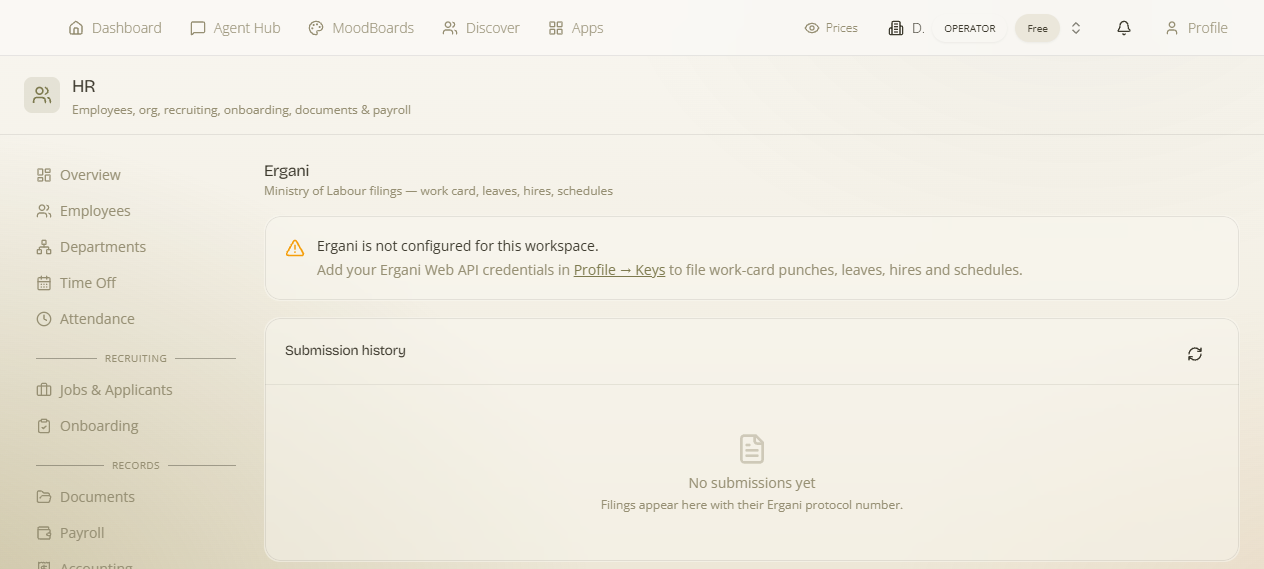
Greek employers must file employment events — hires, work schedules, leave and attendance punches — to the labour authority's ΠΣ Εργάνη (Ergani) system. HR connects directly to the Ergani II Web API so those filings happen from inside the platform: an employee clocking in at the kiosk, or a leave you approve, is submitted to Ergani and comes back with an official protocol number. This is a bring-your-own-key (BYOK) integration — it uses your company's Ergani Web API credentials, because filings are made under your employer identity. This page covers exactly what to add, where, and what gets filed.
These are special Ergani Web API credentials — not your normal Ergani/ΕΦΚΑ web login. You obtain a dedicated API username and password for your employer (ΑΦΜ) from the Ergani Web API registration, and enter them here. Filings are made as your company, so the credentials must be your own.
Step 1 — Get your Ergani Web API credentials
From the Ergani side (outside MaterialsHub) you'll need four things for your employer:
- An Ergani Web API username and password — the API credential pair issued for your employer's account (distinct from the interactive Ergani portal login).
- Your Employer VAT (ΑΦΜ) — the 9-digit tax number of the employing company (e.g.
094187530). - Your Branch number (Παράρτημα) — the establishment/branch the filings are for (the head office is typically branch
0).
Step 2 — Enter them in HR → Ergani — exactly what to add
Where: open HR → Ergani and fill the Ergani credentials card:
| Field | What to enter |
|---|---|
| Ergani username | Your Ergani Web API username. |
| Password | Your Ergani Web API password (stored securely; never shown back). |
| Employer VAT | The 9-digit ΑΦΜ of the employing company (e.g. 094187530). |
| Branch No. | The establishment/branch number (head office is usually 0). |
| Environment | Production for real filings, or the trial/test environment while you're setting up — so you can validate the connection before submitting real events. |
Save. HR verifies the connection and shows the credentials as configured. Credentials are stored per workspace, so each company files under its own identity.
Start on the test environment, confirm a punch or leave submits and returns a protocol, then switch to Production. That way you never send a malformed real filing while learning the flow.
What gets filed to Ergani
Once connected, HR files the events Ergani requires — each successful submission returns a protocol number and submit date that HR records against the item, so you have proof it was lodged:
| Event | How it's triggered |
|---|---|
| Attendance punches (arrival / departure) | Every clock-in / clock-out at the kiosk or the employee portal is filed; the row then shows Ergani ✓ with its protocol. (Manual correction punches are not filed.) |
| Leave / time-off | When you approve an absence you can File leave to Ergani, choosing the matching Ergani leave type (an official leave code — see below). See Time-off. |
| Hires & work schedules | Employment events for your staff are submitted under the supported Ergani submission types. |
Ergani leave types
Ergani classifies leave by an official code (each with a Greek and English description, a category/subcategory, and whether it's hourly). When you file a time-off, you map your absence to the right Ergani leave code so the authority records the correct category. HR loads the current list of leave types for you to pick from.
Why this matters
Filing from inside HR means the compliance step isn't a separate, forgettable task in another portal — the moment someone clocks in or you approve leave, it's lodged and stamped with a protocol. Because it's BYOK, every filing is correctly attributed to your employer account, and one workspace can never file under another's identity.
Related BYOK: Ergani is one of the platform's bring-your-own-key integrations. For the general pattern and where per-workspace credentials live, see Keys & Connections and the Apps & Modules BYOK note.