Settings · General
The General section is where you set the defaults that every new document inherits — the wording on outgoing emails, the payment terms, the VAT rate and the catalogue markup — plus a handful of safety rules that decide what happens at the moment you issue a document. Set these once and you stop re-typing them on every invoice; the toggles then act as guardrails so risky documents are caught before they go out.
Where it is
Top navigation → Finance → Settings tab → General (in the row of settings sub-tabs).
What's on the screen
Two areas, top to bottom:
- Default fields — a set of inline fields holding the values applied to new documents: email subject and body, payment terms, VAT % and catalogue markup %.
- Order & credit rules — buyer-VAT and credit-limit switches plus a default credit/balance hold and a minimum order value. These are the defaults; each customer can override them in CRM.
Everything is edited in place; a single Save settings button at the bottom commits your changes.
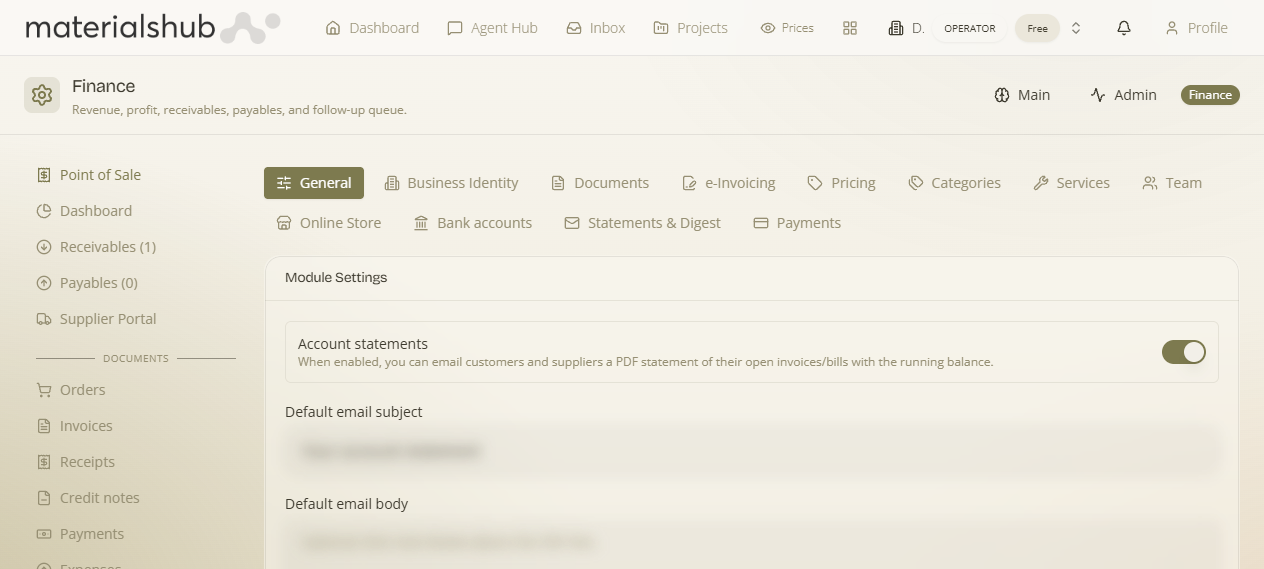
The five default fields, explained
These values pre-fill on every new document so you don't have to type them each time. You can still override any of them on an individual document.
| Field | What it does |
|---|---|
| Default email subject | The subject line used when a document is emailed to a customer. Pre-filled on each send so outgoing mail is consistent without retyping. |
| Default email body | The message body that accompanies an emailed document. Acts as your standard cover note for every send. |
| Default payment terms (days) | The number of days used to calculate a new document's due date. Sets the payment window applied by default to invoices. |
| Default VAT % | The VAT rate applied to new document lines by default. |
| Default catalog markup % | The markup applied when converting a catalogue product's cost into a sell price on a document. This is the platform-wide default — per-category rules set in Settings → Pricing override it. |
Order & credit rules (defaults — overridable per customer)
These are safety rules that fire at Issue time. They're the workspace defaults; each customer can override them in CRM. The VAT switches are off by default; the credit/minimum-order limits are off (“No limit” / “No minimum”) until you set a number.
| Setting | What to set / when to turn it on |
|---|---|
| Block issuance when the buyer VAT number is ΑΑΔΕ-inactive | Stops you issuing to a buyer whose VAT number is flagged inactive by ΑΑΔΕ. Turn on to be certain you never bill a deregistered VAT number. |
| Block issuance when the buyer VAT was never validated (stricter) | Blocks issuance unless the buyer's VAT has actually been validated. Turn on when an unverified VAT number is unacceptable on any document. |
| Default credit / balance hold (€) | The default credit limit checked when you issue against a CRM customer (blank = “No limit”). The amount a customer may owe before the credit check trips. |
| Block (instead of warn) when over the credit limit | Upgrades the credit-limit check from a warning into a hard block. Turn on when going over a buyer's limit should never be allowed. |
| Minimum order value (€) | The smallest order you'll accept (blank = “No minimum”). |
| Block issuance when the order is below the minimum value | Stops (rather than just flags) orders under the minimum. |
What a block does: a blocked issuance isn't a dead end — it raises an approval request and notifies the responsible sales team (via the platform's notification/Flows engine), and an approver can release it. So the guardrail protects you without permanently stopping a legitimate deal.
The credit limit, minimum order and these rules can each be overridden per customer on their CRM record (the “Payment Rules” card) — see CRM. The defaults here apply to any customer without an override.
How to change a default — step by step
- Go to Finance → Settings → General.
- Edit the field you want to change inline (for example, set Default payment terms (days) to a new value), or flip one of the issuance / credit-limit toggles.
- Repeat for any other fields or toggles you want to adjust.
- Click Save settings to commit your changes.
Worked example — standard 30-day net invoices with a VAT guardrail. Open General → set Default payment terms (days) to 30 → set Default VAT % to your standard rate → turn on Block issuance when the buyer VAT number is ΑΑΔΕ-inactive → click Save settings. From now on every new invoice is dated 30 days out with the right VAT pre-filled, and if you ever try to issue one to a buyer whose VAT has gone inactive, issuance is stopped before the document goes out.
What it affects
The five fields pre-fill every new document you create — so the values flow through to each invoice, receipt and other document at creation time (see Finance → Documents). The four toggles don't change a document's content; they run as checks at the moment you issue, either warning you or blocking the issue when the buyer's VAT or credit limit fails the rule you enabled. Catalogue markup feeds the cost-to-sell-price conversion, which per-category rules in Settings → Pricing can override, and the credit limit each check measures against lives on the customer in the CRM.