HR · Attendance & clock-in
Attendance is how HR records when your people actually start and stop work. Staff mark themselves present at a shared clock-in kiosk — or from their own self-service portal — and every mark becomes a punch that is filed straight to the Greek labour authority (Ergani). Those punches roll up into timesheets (days worked, hours, first-in / last-out) and, when someone is late, into lateness alerts. The days and hours that attendance captures are exactly what payroll reads at month-end, so getting the clock-in flow right keeps pay accurate without anyone re-typing hours.
Where it is
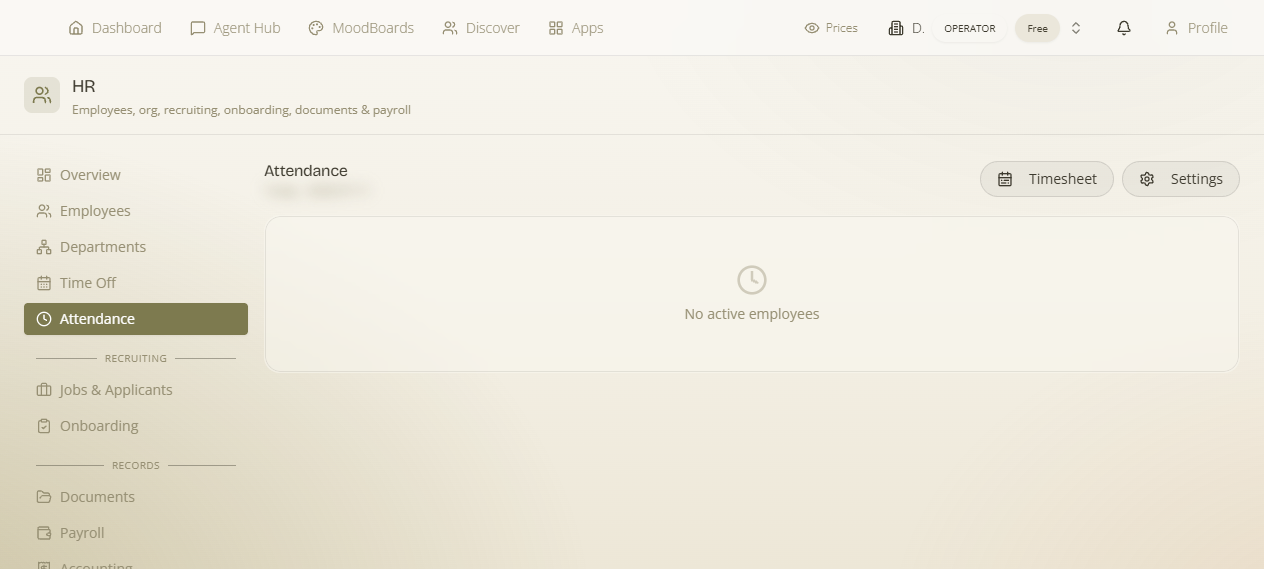
Open HR (/hr, owner/admin only) and go to the Attendance section. That section holds the settings, the punch and timesheet views, and the manual-correction tools. The one part that lives outside the admin page is the kiosk itself: it is a public page staff open on a shared device.
The clock-in kiosk
The kiosk is a standalone, per-workspace page at /{workspace}/clockin — you'd typically leave it open on a tablet or shared computer by the entrance. It is branded "Powered by MaterialsHub" and is deliberately simple so anyone can use it without an account of their own.
- Staff clock in by VAT number. An employee types their VAT number, the kiosk greets them with "Welcome" and their name, and shows two actions: Clock in and Clock out.
- Late is flagged on the spot. If they clock in after their expected start time plus the configured grace period, the kiosk shows "Marked late" so it's clear the arrival was recorded as late.
- A Kiosk PIN secures the identity. The VAT number identifies who they are; a per-employee Kiosk PIN (set on the employee record — see Employees) is what protects it, so someone can't clock a colleague in or out just by knowing a VAT number.
- If the kiosk is switched off the page shows "The clock-in kiosk is not enabled for this workspace." — so you'll know immediately if the setting hasn't been turned on.
The VAT + PIN model in one line: the VAT number says who is clocking in, and the Kiosk PIN proves it's really them. Both come from the employee record, so onboarding a new starter into the kiosk is just: add the employee, set their VAT and Kiosk PIN.
Turning the kiosk on and configuring it
All of this lives under Attendance & clock-in settings in the Attendance section. Flip the kiosk on, decide how much lateness grace to allow, and choose whether (and who) to alert when someone hasn't clocked in.
| Setting | What it does |
|---|---|
| Enable public clock-in page | Turns the kiosk on. While off, the /{workspace}/clockin page shows the "not enabled for this workspace" message and no one can punch from it. |
| Late grace (min) | How many minutes after an employee's expected start time before an arrival counts as late. A clock-in inside the grace window is on-time; past it, the kiosk shows "Marked late" and the punch is recorded as late. |
| Enable late-check-in alerts | Switches on the alerting described as "Notify when an employee hasn't clocked in past their start + grace." With it on, the workspace watches for people who should have clocked in by now and haven't. |
| Notify workspace owner | A notify target: include the workspace owner among the people alerted about a missed / late check-in. |
| Notify finance / admins | A notify target: include the finance / admin recipients in the alert. |
| Extra emails | A comma-separated list of additional email addresses to alert. These are email only — they're outside recipients who just get the email, not in-app people. |
| Also notify (bell + email) | The delivery channel for the alert: send it as a Bell in-app notification and an email, rather than only one. |
Note: the alert targets stack — you can, for example, notify the owner and finance/admins and a couple of extra outside emails at once, all delivered by bell + email.
Punches, Ergani filing and manual corrections
Every clock-in / clock-out is a punch. Punches are of two kinds — an arrival or a departure — and they're the raw record everything else is built from.
- Each successful punch is filed to Ergani. When a punch is recorded, it's submitted to the Greek labour authority and comes back with an Ergani protocol number. In the punch list you'll see this confirmed as "Ergani ✓" / "Filed to Ergani" — the proof that the arrival or departure was reported as required. (How the Ergani connection is set up lives in Ergani filing.)
- Corrections don't go to Ergani. When you need to fix a record — a missed clock-out, a forgotten arrival — use Add a manual punch. This is explicitly labelled "correction — not filed to Ergani": it adjusts your internal timesheet without submitting a new official filing.
- Unmatched clock-ins are surfaced. If someone clocked in but never clocked out (or vice-versa), the row can show "Has an unmatched clock-in" — your cue that a departure is missing and a manual punch may be needed to close the day.
Why the split matters: a real punch from the kiosk is an official Ergani filing with a protocol number; a manual punch is an internal fix only. Use manual punches to keep timesheets and payroll accurate, but remember they don't create an Ergani record — so they're for corrections, not for routinely bypassing the kiosk.
Timesheets
The Timesheet view rolls the raw punches up into something readable per employee. For each person it shows:
- Days worked — how many days they were present in the period.
- Total hours — the summed worked hours.
- First-in / last-out per day — the earliest arrival and latest departure recorded on each day, so a day's span is obvious at a glance.
- Punch history — the underlying list of individual punches for the last 30 days, which is where you'll spot an unmatched clock-in or decide a manual correction is needed.
Lateness alerts and Flows
Beyond the built-in notify targets above, a late check-in is also a first-class Flows trigger — hr_late_checkin. That means admins aren't limited to "bell + email to these people": you can build an automation off the same event in Flows — for instance routing lateness to a specific channel, chaining it into another action, or applying your own conditions. The setting-driven alerts and the Flows trigger fire off the same underlying "hasn't clocked in past start + grace" event.
Two ways to react to lateness: the quick way is the Enable late-check-in alerts settings (pick recipients, get a bell + email). The powerful way is the hr_late_checkin trigger in Flows, when you want custom logic or delivery. You can use either or both.
What attendance feeds
Attendance isn't an island — it's the input to pay. The days worked and hours your timesheets capture flow into payroll, which reads them at month-end so you don't re-enter anything. That's the whole point of getting punches right: accurate clock-in data means accurate payslips.
Where staff clock in from
There are two staff-facing routes into attendance, and they produce the same punches:
- The kiosk at
/{workspace}/clockin— the shared-device path, using VAT number + Kiosk PIN, described above. - The self-service portal — employees can also clock in from their own restricted self-service portal via a Work-Card check-in, so remote or on-the-go staff don't need to reach a physical kiosk.
Getting attendance running: add your employees with a VAT number and Kiosk PIN → connect Ergani so punches file with a protocol number → in Attendance settings switch on Enable public clock-in page, set a Late grace, and (optionally) turn on late-check-in alerts → open /{workspace}/clockin on a shared device. From there, timesheets build themselves and feed payroll.